October 28, 2026
A full design system in Figma, without burning tokens
Build an enterprise-level design system in Figma once, with rule files your AI builder reads, instead of re-explaining it in every chat.
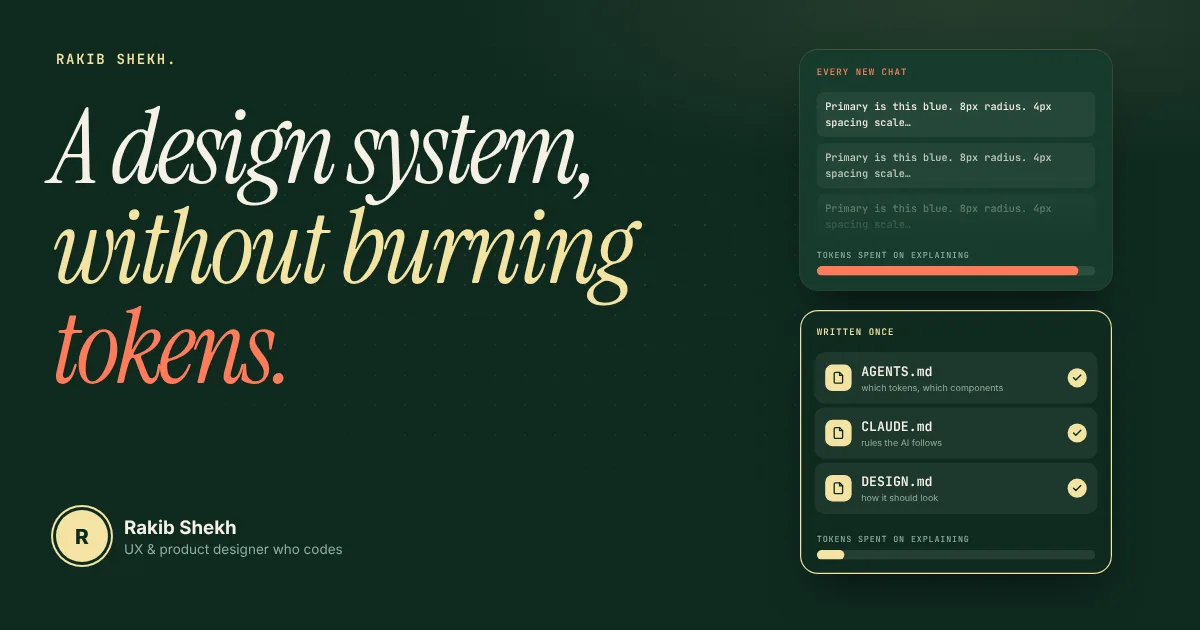
Most designers I talk to build an AI-ready design system the same way. They open a chat, paste a long prompt, and ask for colors, type, spacing and components. Then the chat gets long, the answers drift, and they start over.
That's where the tokens go. Not into the design system. Into explaining the design system again and again.
There's a cheaper way, and it's also the cleaner way to work.
Where the tokens actually go
Every new chat starts with zero memory of your brand. So you paste the same context: "primary is this blue, buttons have 8px radius, spacing uses a 4px scale." The AI answers, you fix one thing, and the whole history gets sent back each turn.
You pay for that repeat. And the AI still guesses sometimes, because a paragraph of prose is easy to misread.
A design system is a fixed thing. It shouldn't be re-typed. It should live in one place and get read.
Build the structure once, in Figma
An enterprise-level system isn't about having more components. It's about structure. Start with the foundations: a color palette with proper shades, a type scale, a spacing scale, radius, and the rest as real Figma variables.
Then add the semantic layer on top. That means tokens named by job, not by looks. "Action primary" tells you what it's for. "Blue main" doesn't, and it falls apart the day you add a dark theme. With semantic tokens, light, dark and high-contrast modes are just different values behind the same names.
Check contrast while you build, not after. If a color pair fails, you want to know at the palette step, before a hundred components use it.
Write the rules where the AI will read them
Here's the part most people skip. Your Figma file knows the system, but your AI builder can't open Figma the way you do. It reads files.
So the system needs to come with files: an AGENTS.md or CLAUDE.md that says which tokens to use, which components exist, and what to avoid. A DESIGN.md that describes the look. An llms.txt and a components.json so tools can find things without guessing.
Put those in the project once. Every new session starts with the rules already in front of it. You stop pasting the same paragraph, and tools like Claude Code, Cursor and v0 have something concrete to follow.
Let a tool do the boring part
Naming and wiring hundreds of variables by hand is slow, and it's where quiet mistakes creep in. A skipped scale step or a misspelled token breaks things without any error.
That's why I built UIX: Design System Generator, a Figma plugin. You pick a palette, a font pairing and a visual style, and it creates the variables and styles in your file. It also exports the system as code (CSS, Tailwind, design tokens and more) together with the AI rule files, so the Figma file and the files your AI reads come from the same source. The generation itself doesn't need an AI call. The AI parts are optional and use your own key.
The point isn't the plugin. It's the habit: generate the structure from one source, and don't type it twice.
[ADD: one real moment where you or a client lost time to mismatched tokens, or burned a long chat re-explaining a system. One or two sentences.]
If you want to try it
- Set up foundations first: palette, type scale, spacing, radius, as Figma variables.
- Add semantic tokens named by job, so themes become a swap of values.
- Check contrast at the palette step.
- Export rule files for your AI builder: AGENTS.md or CLAUDE.md, plus DESIGN.md.
- Keep the Figma file and the exported files in step by generating both from one place.
Done this way, a design system costs a bit more thought at the start. After that, every chat begins with the AI already knowing your rules.
Plugin and presets: uixdesign.pagestro.com