November 5, 2026
Figma Specs: markdown is now a design file
Figma Specs puts markdown on the canvas and hands it to coding agents through MCP. A builder's view on what to write in one and what it does not replace.
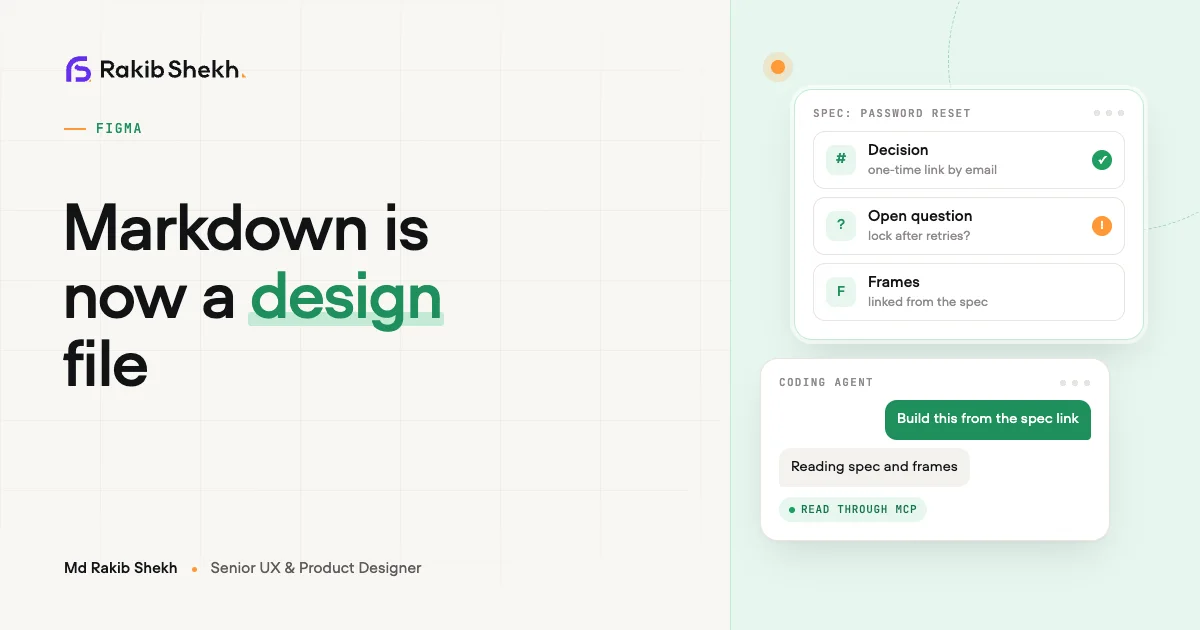
On 15 October 2026 Figma moved Specs into open beta. A spec is a markdown document that lives on the canvas, next to the frames it talks about. I think that is a bigger change than it sounds, because markdown is now something a coding agent reads straight from your design file.
I build tools for designers, so I read this as a builder. Below is what Specs is, what I would put in one, and where it does and does not replace a handoff doc. Facts are as of October 2026 and Specs is a beta, so details will move.
What is Figma Specs?
Figma Specs is a container on the canvas for shared decisions, written in markdown and linked to your design work. Figma's announcement calls it a multiplayer container, and it can embed a FigJam file, a frame or any canvas node, so text and designs sit side by side.
What Figma says you can do with it:
- Create one with the D key or the Specs icon in the toolbar, in Figma or FigJam.
- Drag an existing
.mdfile onto the canvas to turn it into a spec. - Let the Figma agent read and reply to comments in a spec. Each conversation runs in its own thread.
- Pull in outside context through connectors. Figma's examples are GitHub, for codebase context in a technical spec, and Hex, for analyses left as comments.
- Duplicate a spec so teammates can work on separate versions before agreeing on one.
Specs runs on web, desktop and mobile. It is rolling out to all plans. According to Figma's Config India summary, using the agent with Specs consumes AI credits.
What belongs in a spec?
Decisions belong in a spec, and descriptions of the screen do not. The frames already show what the screen looks like. The spec should say why it works that way and what is not allowed to change.
Figma's own examples point the same way. It describes a spec as holding shared decisions, open questions and edge-case principles, with the work linked from it. Here is the skeleton I would start from. The example is made up for illustration.
# Password reset

## Problem
People who forget their password abandon sign-in.

## Decision
Send a one-time link by email. No security questions.

## Rules
- The link expires. Show the expiry on the email and on the screen.
- Same message whether or not the email exists in our system.
- Errors say what to do next, in one sentence.

## Edge cases
- Email never arrives: show a resend option after a short wait.
- Link used twice: explain, then offer a new link.

## Open questions
- Do we lock the account after repeated requests?

## Out of scope
- Social sign-in.

## Frames
(embed the reset flow here)
Three habits keep a spec useful:
- One decision per line. An agent, and a person, can act on a line. They cannot act on a paragraph of intent.
- Name the exceptions. "Errors say what to do next, except in the lockout case" beats a rule with silent holes.
- Keep open questions visible. If a question is open, say so. An agent will otherwise pick an answer and build it.
How does a spec reach a coding agent?
You copy the spec's link into your coding agent's prompt, and the Figma MCP server passes along the markdown and everything it links to. Figma's announcement lists linked frames, diagrams, code layers and Code Connect snippets as part of what comes through.
The MCP server docs add the conditions. Reading and updating specs works through the server's spec skill. Writing to a spec requires the remote server, at mcp.figma.com/mcp, and edit access to the file. The docs list many clients, including Claude Code, Cursor, Codex and VS Code, though support varies by client, so check the table for yours.
That means a handoff can be one sentence: "Build the password reset flow from this spec" plus a link. I like that. I also think it raises the stakes on the spec, because the agent reads all of it.
Does a spec replace the handoff doc?
It replaces the document, not the conversation. Figma does not claim that Specs replaces handoff docs. It describes a handoff workflow where you agree on a direction, then link the spec to your coding agent.
Here is how I see the split.
| Job | Old handoff doc | Spec on the canvas |
|---|---|---|
| Where it lives | Separate tool, easy to lose | Next to the frames |
| Who reads it | Engineers, if they find it | Engineers and coding agents through MCP |
| Staying current | Drifts from the design | Can be edited where the design is edited |
| Walking through edge cases | Needs a meeting | Still needs a meeting |
The last row matters. A spec makes decisions readable. It does not make them agreed. If your team never talked about the lockout case, writing it in markdown only records that nobody did.
What can go wrong with specs?
The main risk is a stale or contradictory spec that an agent follows faithfully. A person reading an old doc will notice that a button was renamed. An agent may just build the old name.
Some checks I would run:
- Date each decision, or review the spec whenever the linked frames change.
- Keep one spec per feature. Two specs that disagree will confuse a person and an agent.
- Read what the agent built against the spec, line by line, at least until you trust the loop. Figma's own guidance on the agent says to double-check its output.
- Remember it is a beta. Behaviour, plans and credit use can change.
If you want to see how I think about design work more broadly, there is a short intro on my about page.
FAQ
Is Figma Specs free?
Figma says Specs is in open beta and rolling out to all plans. Using the agent with Specs consumes AI credits, per Figma's help centre. Check your plan for current details.
Can I turn an existing markdown file into a spec?
Yes. Figma says you can drag an existing .md file onto the canvas and it becomes a spec.
Can a coding agent change my spec?
Through the Figma MCP server it can, if you use the remote server and the agent has edit access to the file. Treat that like any other write permission and review the changes.
Is a spec the same as a code layer?
No. A spec holds decisions in markdown. A code layer is an interactive prototype backed by running code. Figma links them, and a spec can point at a code layer.