01
Color scales in OKLCH
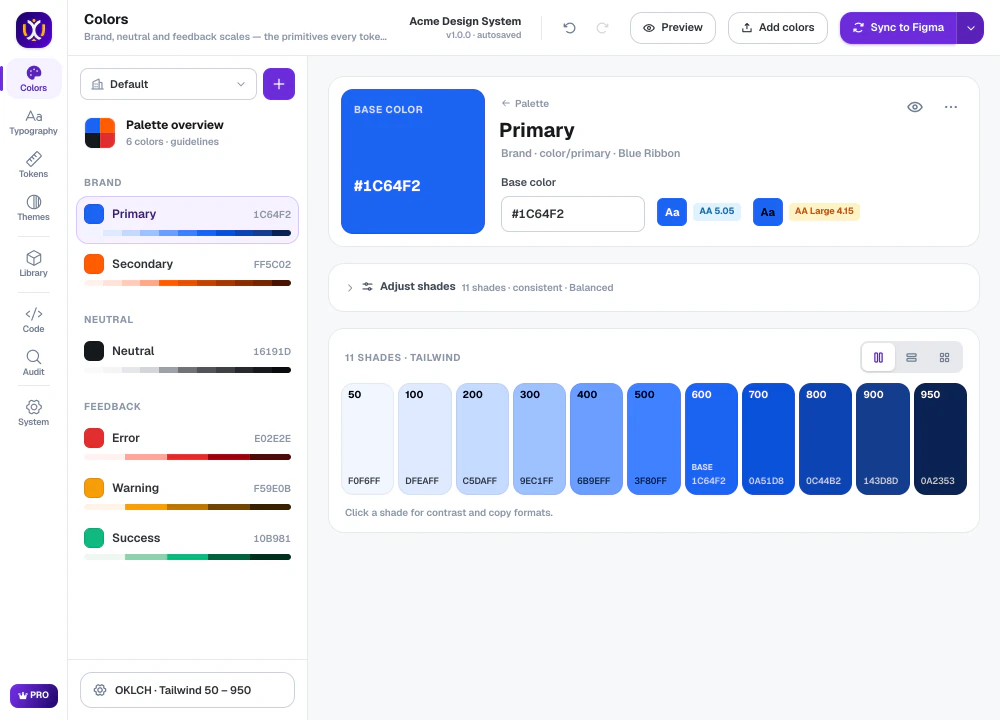
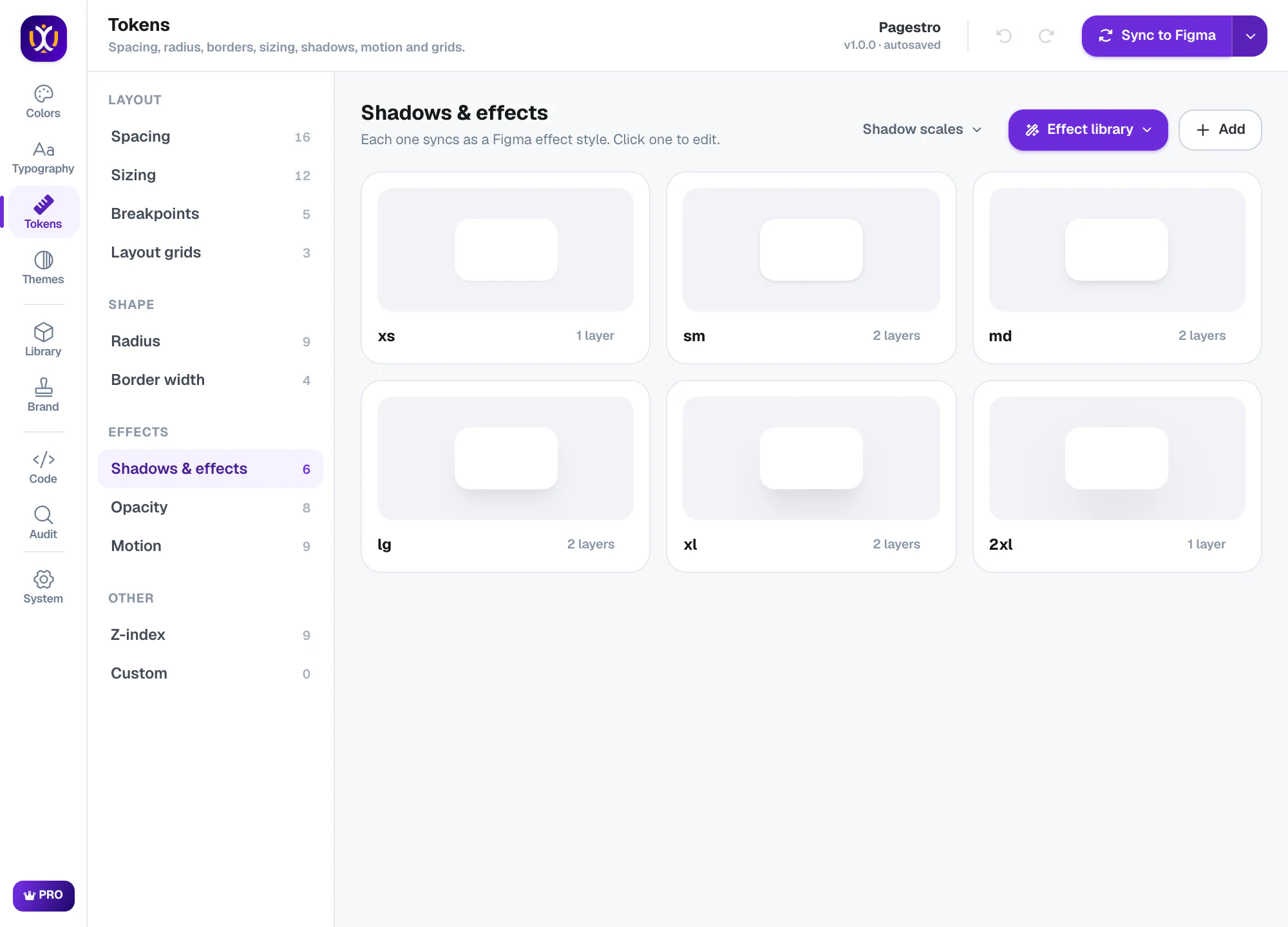
Brand, neutral and feedback colors get 11 shades each, built in the OKLCH color space so the steps look even. Every shade shows its WCAG contrast. Start from one of 34 palettes or pull the colors from your logo.
Home / Products / UIX: Design System Generator
Turn one brand color into a full Figma design system in about three minutes.
UIX is a Figma plugin. You give it one brand color and it builds the design system inside your file: color scales, type styles, tokens, light and dark themes, components, a documentation page and code.
Everything is created as native Figma variables and styles, so the system keeps working after you close the plugin. Your settings are saved in the file too. Open UIX again, change a value, and the next sync updates only what changed instead of adding duplicates.
The free plan has a working version of every tool. Pro adds dark and high-contrast themes, all 74 components and all 21 code formats. UIX is made by Sigma Studio, my design studio.
Brand, neutral and feedback colors get 11 shades each, built in the OKLCH color space so the steps look even. Every shade shows its WCAG contrast. Start from one of 34 palettes or pull the colors from your logo.
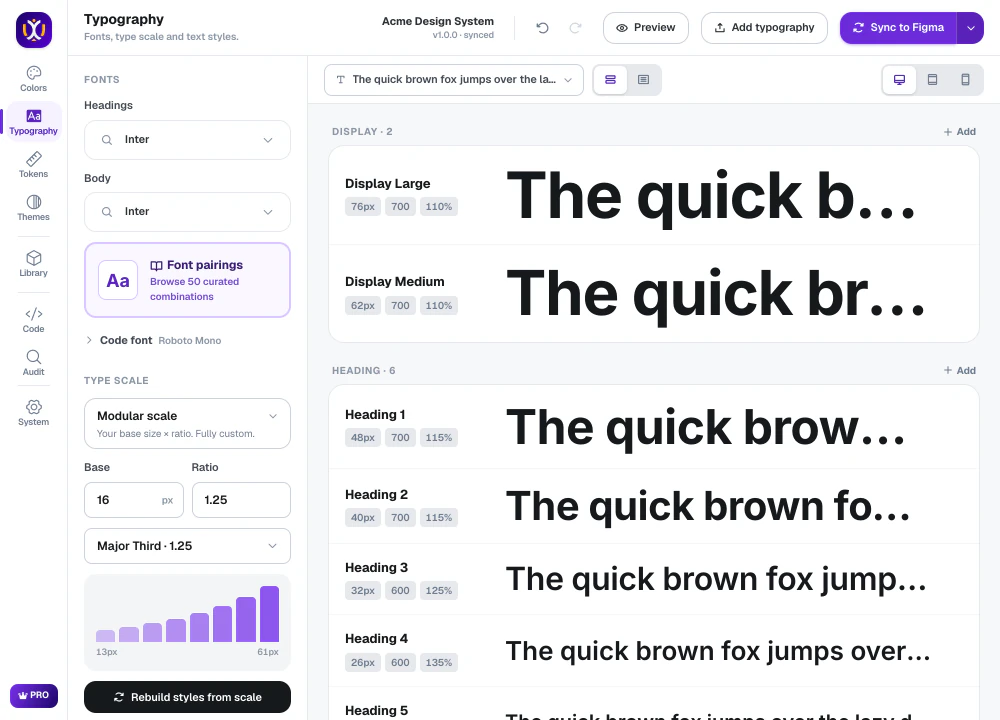
Pick one of 50 font pairings and a modular scale. UIX writes separate text styles for Desktop, Tablet and Mobile, bound to variables. Tablet and Mobile sizes are part of Pro.
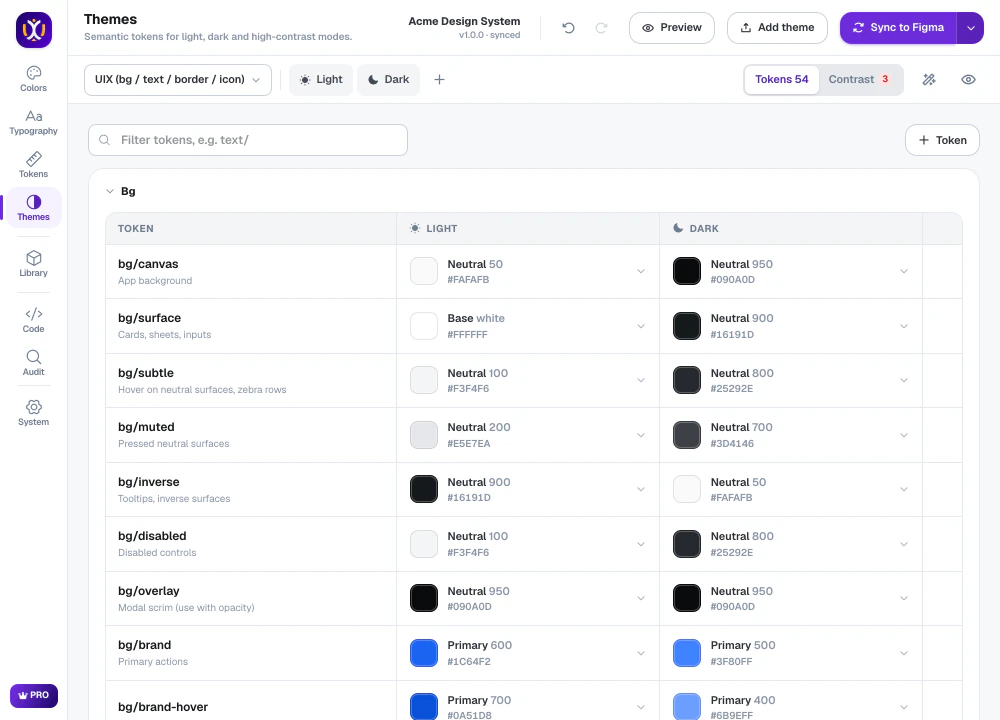
Semantic tokens point at your palette in each mode. Set a frame to Dark and every component follows. Free covers the light theme. Pro adds dark, high-contrast and multi-brand modes, with Material 3 and shadcn presets.
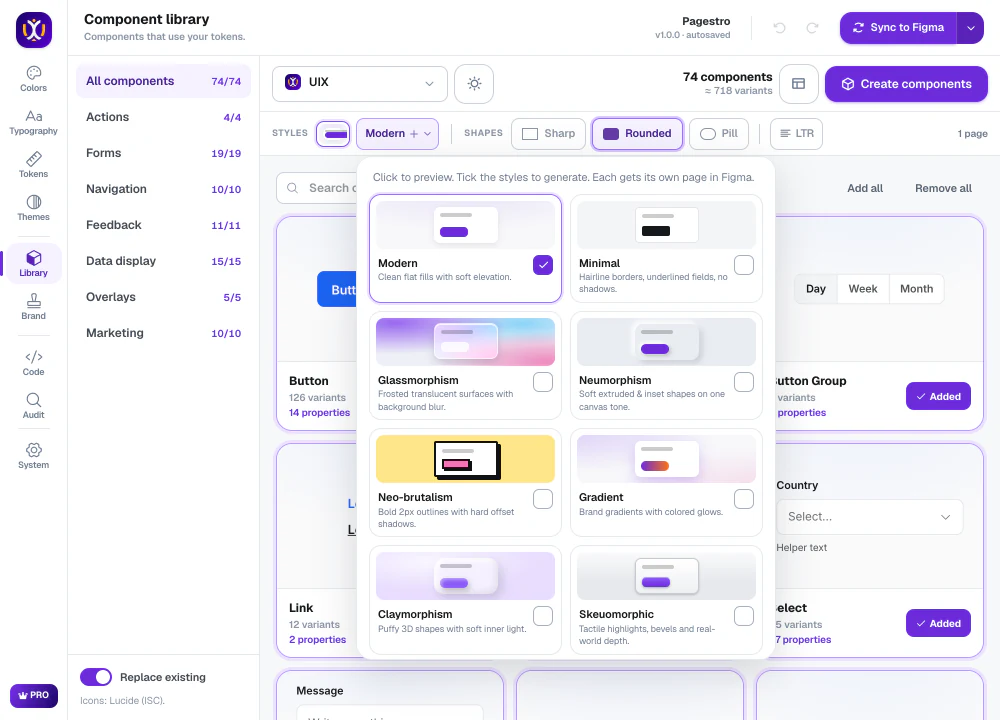
Real component sets with variants and properties. Fills, spacing, radius and text all point at your variables, so changing a token restyles the library. Choose from 10 visual styles and Sharp, Rounded or Pill shapes. Free builds 12 core components in the Modern style.
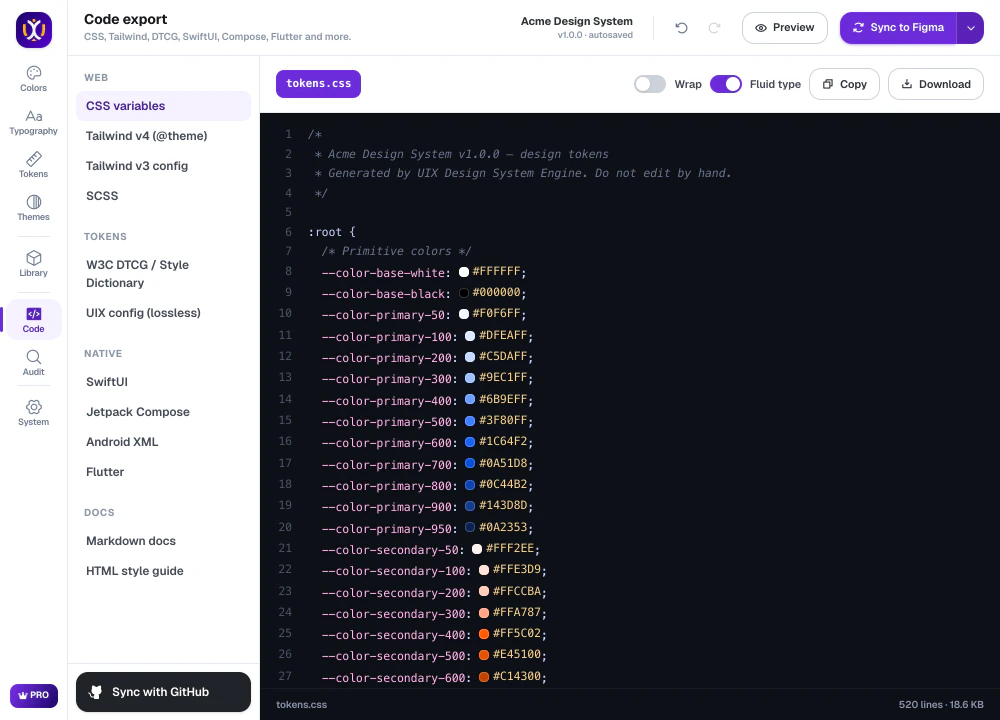
CSS variables, Tailwind v4, W3C DTCG tokens and an AI Pack for Claude Code and Cursor are free. Pro adds React, SwiftUI, Jetpack Compose, Flutter, an MCP server and more, and can open a GitHub pull request.
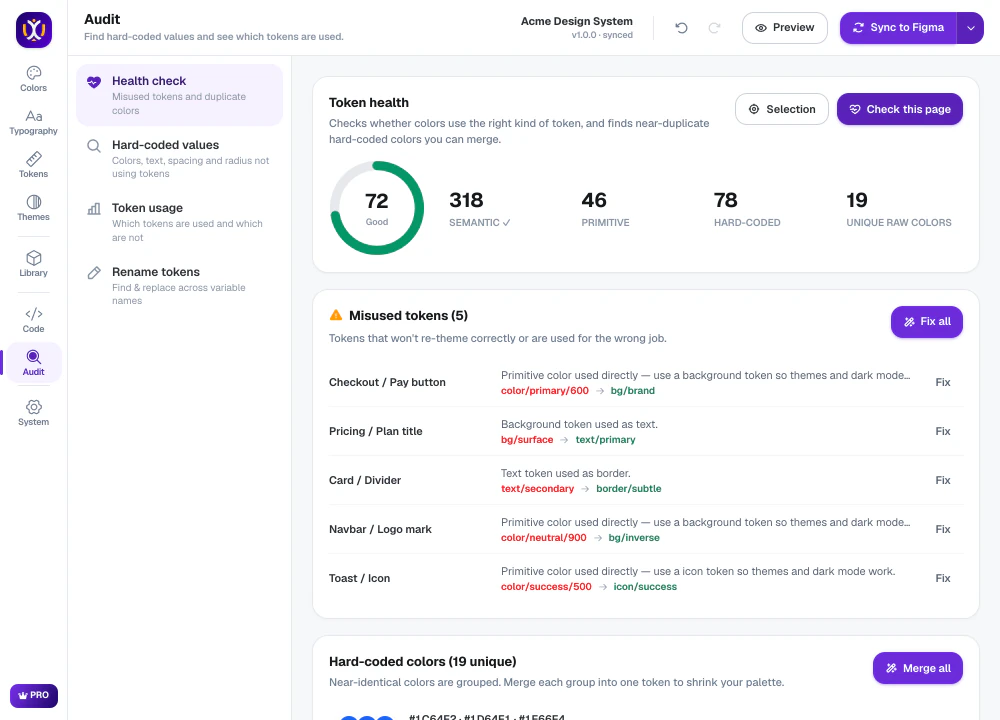
UIX scans a page for hard-coded colors and near-duplicates, gives it a health score and fixes issues in one click. The free plan includes 3 fixes per scan.
Open UIX in any Figma Design file. The free plan needs no card.
UIX builds 11 OKLCH shades and checks WCAG contrast on each one.
Choose a font pairing and type scale, then spacing, radius, shadows and motion. Everything previews live.
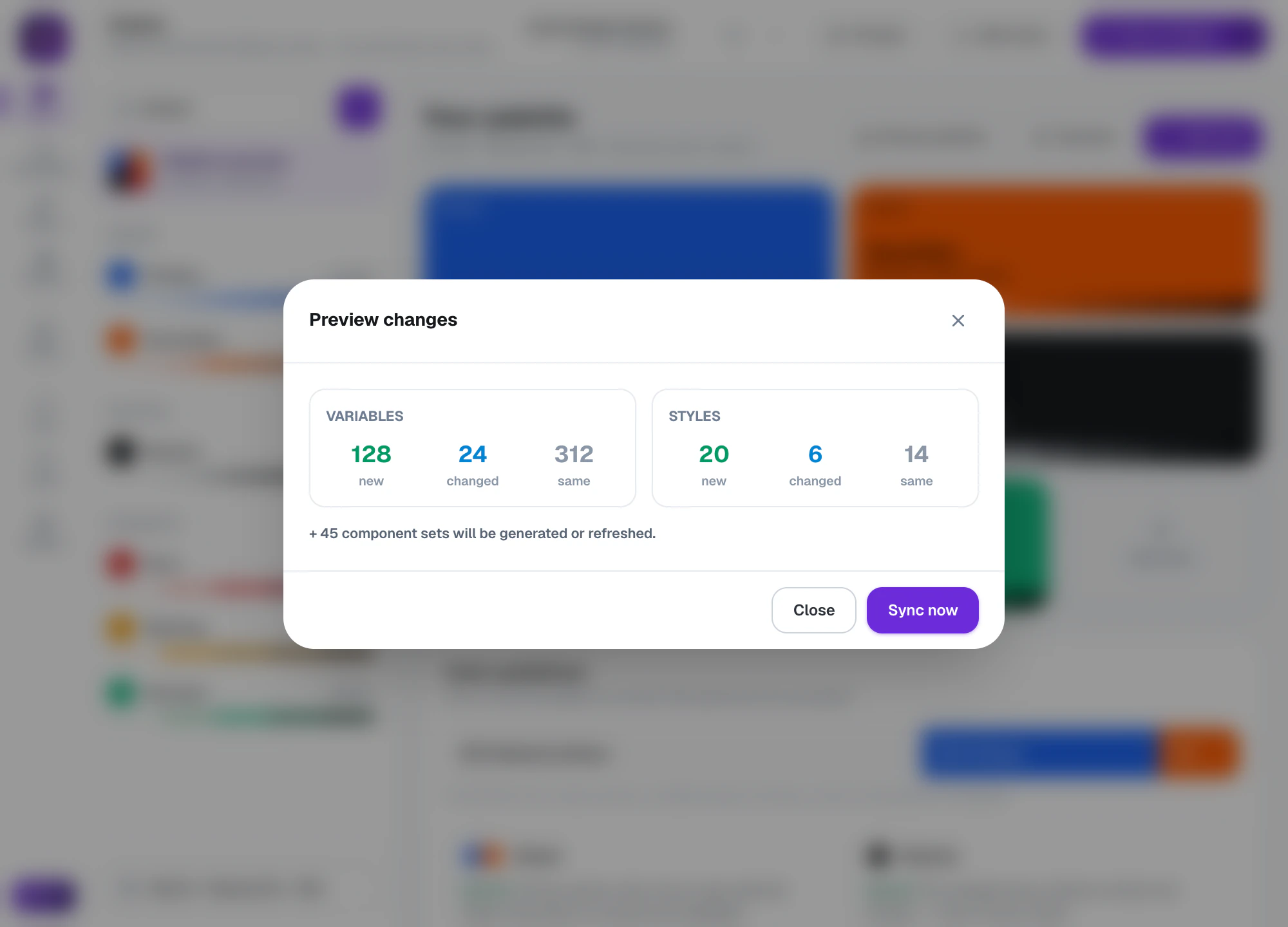
A dialog lists the new, changed and unchanged variables and styles. Press Sync and they land in your file with a docs page and components.
Yes. The free plan never expires and needs no card. It includes the full color engine, the light theme, every token type, 12 core components and export to CSS, Tailwind v4, W3C DTCG and the AI Pack.
$5.99 a month or $48.99 a year at the launch price, after a 7-day free trial. Subscribe before April 10, 2027 and you keep that price while you stay subscribed. After that date Pro costs $11.99 a month or $97.99 a year. Paddle handles checkout and tax, and one license works on up to 3 devices.
No. UIX shows a preview of every change before it syncs, can import the variables and styles you already have, and updates its own variables in place instead of creating duplicates.
It stays in your Figma file. The AI and GitHub features are optional and only contact the provider you choose, using your own key.
Yes. Variables carry CSS names for Dev Mode, and the Code tab exports the same system to 21 formats, 4 of them on the free plan.
UIX: Design System Generator Free plan, Pro $5.99/mo
Install on FigmaPDF tools, e-signatures, invoices, QR codes and an email builder in one browser workspace.
 React Library
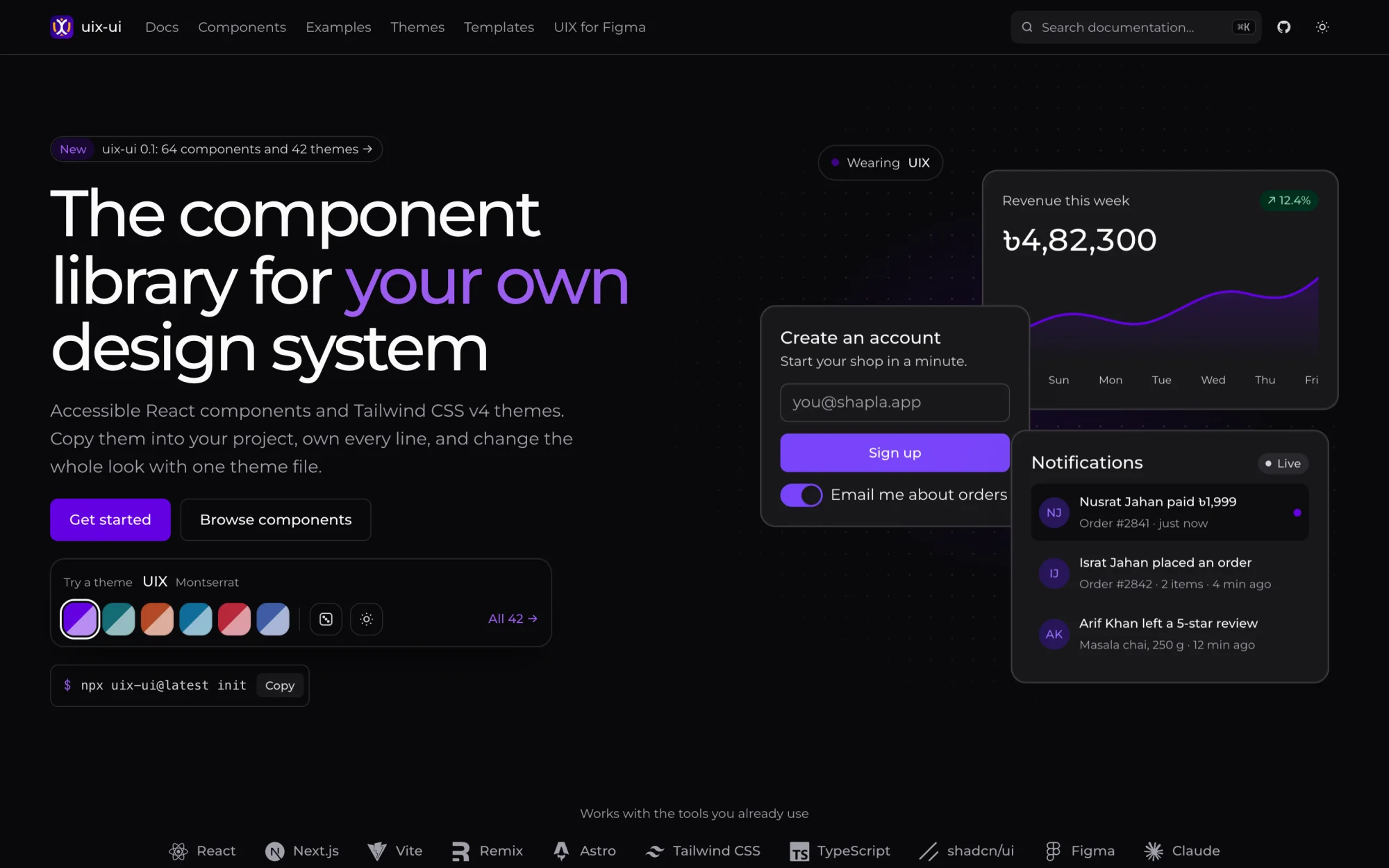
64 open-source React components and 42 Tailwind CSS v4 themes that you copy into your project.
 Figma Plugin
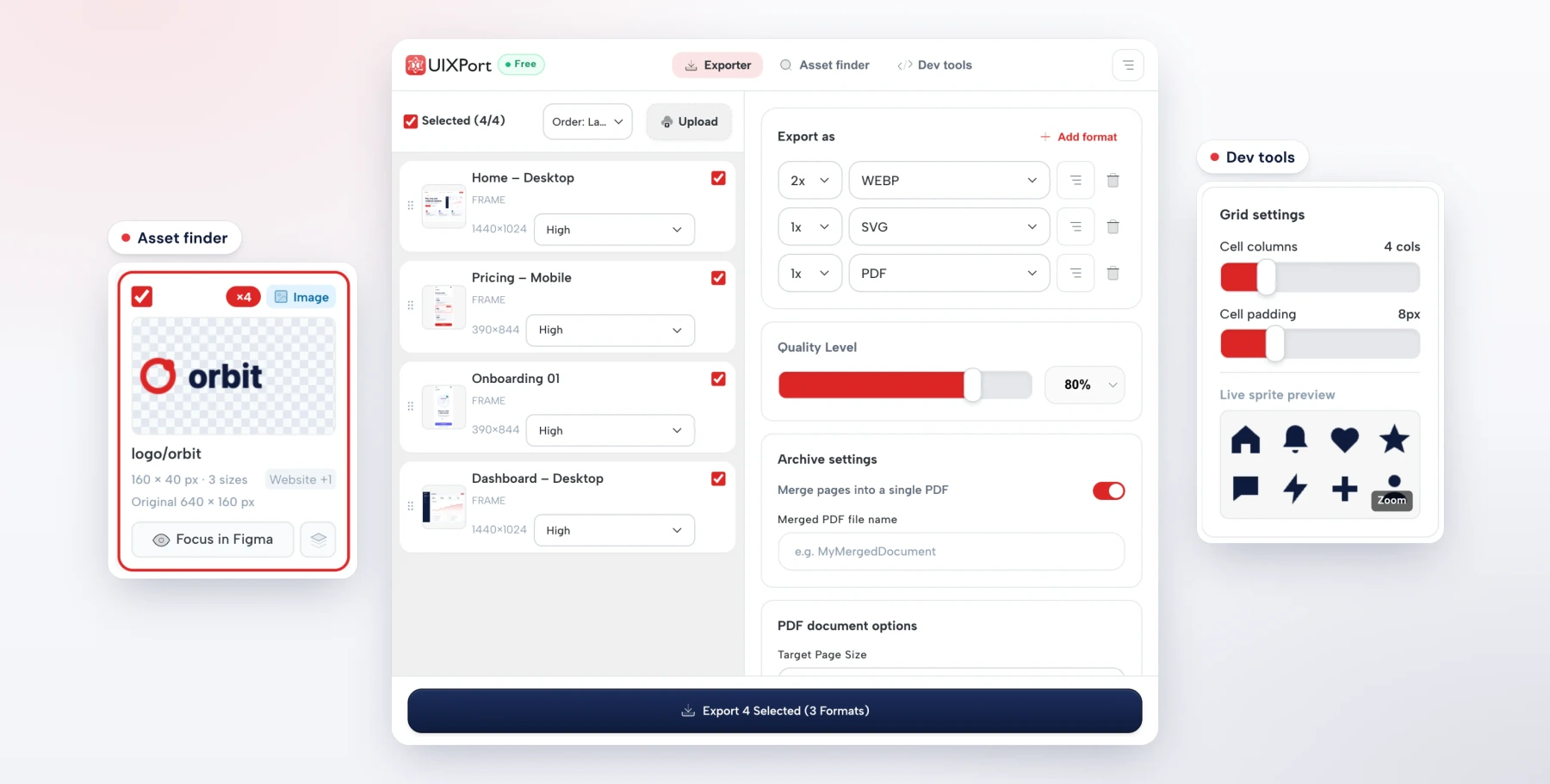
Exports PNG, JPG, WebP, AVIF, SVG and merged PDFs from Figma in one run.
 Icon Library
13,491 original icons in 15 styles on one 24 px grid. Three styles are free under MIT.